


Holographic LED Screen Usage and Maintenance Guidelines
Standard use, scientific power management, regular cleaning and moisture prevention can effectively avoid common failures, ensure stable display performance, and reduce unnecessary repair costs. Below is the complete guideline for environment usage, power operation, cleaning and storage of holographic LED displays.
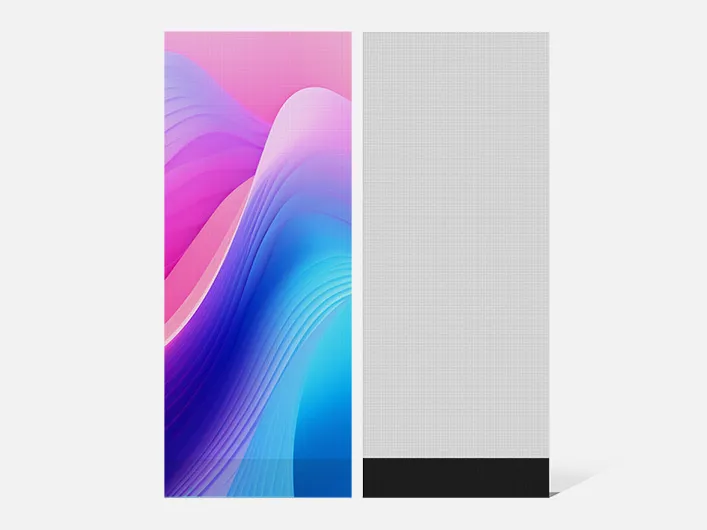
1. Operating Environment Precautions
- The standard operating temperature ranges from -20℃ to 50℃, and the operating humidity ranges from 10% RH to 90% RH.
- Do not use or store the screen in environments with high temperature, high humidity, or strong acid, alkali and salt corrosion.
- Keep the screen away from flammable materials, combustible gas and floating dust during operation.
- Avoid strong collisions and sharp object scratches during transportation and handling.
- Do not run the screen continuously for a long time under overheating conditions or poor heat dissipation.
- Operating the screen in excessive humidity will cause component corrosion and short circuits, leading to permanent equipment damage.
- Strictly prevent water, iron powder and other conductive metal substances from entering the screen interior. Use the screen in a low-dust environment to avoid poor display effects and circuit damage caused by excessive dust. Cut off the power immediately if water enters the screen, and do not restart until all internal components are completely dry.
- Do not place fish tanks, potted plants and other moisture-producing items near the screen to avoid humid ambient conditions.
2. Screen Switching Specifications
- Power on sequence: Start the control computer normally first, then turn on the holographic LED screen.
- Power off sequence: Turn off the screen power first, close the control software, and then shut down the computer. Abnormal shutdown will cause bright spots and burn out screen lights.
- Keep an interval of more than 5 minutes between screen startup and shutdown operations.
- Avoid turning on the screen with a full white display. A full white screen runs at maximum power and generates huge instantaneous impact current on the power distribution system.
3. Power Supply Precautions
- The screen modules adopt DC +5V power supply (working voltage: 4.2-5.2V). AC power input is prohibited. Never reverse the positive and negative power poles, which will burn the equipment and even trigger fire hazards.
- The rated power supply voltage is 220V±10% with a frequency of 50HZ±5%.
- Ensure reliable grounding and complete separation of ground wire and neutral wire. Keep the screen power supply away from high-power electrical equipment.
- Stop powering on immediately and troubleshoot in case of short circuit, tripping, wire burning, smoking and other abnormal phenomena. Do not repeatedly test power on.
- Maintain stable power supply and complete lightning protection grounding. Stop using the screen in severe thunderstorm weather.
- Adopt step-by-step power supply startup to avoid instantaneous current impact on the overall power distribution system caused by full-load operation.
- Do not display full white high-brightness images for more than 30 minutes. Long-term maximum brightness operation will cause overheated circuits and damaged lamp beads, shortening the screen service life. Dynamic video playback is recommended.
- Keep an interval of at least 1 minute between repeated power on and power off operations.
- Non-professional personnel are prohibited from touching internal circuits to avoid electric shock and equipment damage. All circuit faults must be inspected and repaired by professional technicians.
4. Cleaning & Maintenance Instructions
- Perform regular cleaning and maintenance. Both indoor and outdoor holographic screens will accumulate dust and stains after long-term operation, which requires timely cleaning to guarantee clear display effects.
- Gently clean module surface dust with a soft brush. Do not use any liquid to rinse the modules to prevent lamp bead damage.
- Wipe the screen surface with alcohol, or remove dust with brushes and vacuum cleaners. Never wipe the screen directly with wet cloths.
5. Moisture Prevention & Storage Requirements
- The storage temperature ranges from -40℃ to 60℃. After unpacking, store the screen in an environment below 30℃ and 60% relative humidity.
- Take anti-rodent measures for screen body and control components to prevent circuit damage caused by insect bites.
- Do not keep the screen powered off for a long time in high-humidity environments. For screens idle for 3 to 7 days, preheat at 30%-50% brightness for 4 to 8 hours before adjusting to normal 80%-100% brightness to eliminate internal moisture. For screens idle for more than 7 days, preheat at 30%-50% brightness for over 12 hours before normal operation to avoid display abnormalities.
6. General Maintenance Notes
Professional daily maintenance is essential to extend the service life and ensure stable operation of holographic LED screens. Regularly inspect the screen operating status, and repair or replace damaged circuits and components in a timely manner.
Place control computers and supporting equipment in dust-free, air-conditioned rooms to ensure stable heat dissipation and normal operation. Non-professionals are forbidden to disassemble or touch internal circuits. Please contact professional technicians for all equipment faults and maintenance work.

Get Our Latest Products & News
Subscribe to our newsletter for fresh product launches, industry insights, and exclusive offers tailored for global partners. Stay ahead with updates that matter to your business!
